




String Library with Adaptive Performance Control
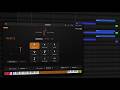
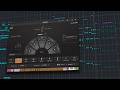
Lineage Strings is an orchestral string library designed to deliver realistic and expressive performances with minimal manual programming. Its Adaptive Phrasing system analyzes incoming MIDI performance and automatically selects suitable articulations based on musical context. Combined with Intelligent Arranging, the library helps create cohesive string performances while maintaining a streamlined workflow. Users can also control bowing direction in detail, with automatic alternation, manual selection and intelligent phrase-based resets for more natural playback.
Features
-
Dedicated orchestral string library
-
ProjectSAM string recordings
-
Adaptive Phrasing articulation system
-
Smart Lookahead performance analysis
-
Automatic articulation selection based on musical context
-
Expressive legato playback
-
Fluid run performance handling
-
Intelligent Arranging engine
-
Automatic and manual bowing control
-
Down bow and up bow selection
-
Real-time bowing overrides
-
Intelligent bowing reset on new phrases
Library Specs
- Instruments: 5 separate sections
- Articulations: Up to 13 per section
- Mics: 3 + 1
- Pre-seated: Yes
- Adaptive Phrasing: Yes
- Polyphonic Legato: Yes
- Realtime Arranging: Yes (optional)
- Down and up bowing: Yes
- Library-wide settings: Yes
- Uncompressed library size: 151 GB
- Size on disk: 76 GB

This product requires the free Native Instruments Kontakt Player, the latest version can be downloaded through Native Access, Native Instrument’s download manager!
The minimum required Kontakt version for this product is stated in the product description or can be found on the manufacturers website.
System Requirements:
Mac:
- macOS 11, 12, 13
- 64 bit
- Intel Core i5 or Apple Chip
- RAM: 4GB (6GB recommended)
Windows:
- Windows 10 or 11
- 64 bit
- Intel Core i5 or similar CPU
- RAM: 4GB (6GB recommended)
Supported Interfaces:
- Mac (64-bit only): Stand-alone, VST, VST3, AU, AAX
- Windows (64-bit): Stand-alone, VST, VST3, AAX
Legacy Versions:
If you require legacy installers of Kontakt Player please refer to this Knowledge Base Article.
Required Registration:
Project SAM products require you to register with the manufacturer at www.projectsam.com to activate your license. To use Kontakt Player Libraries you also need to register with www.native-instruments.com.
This product requires an activation!
This product requires Native Access for installation, registration and activation. Start the Native Access-Software and log in using your Native Instruments credetials to start the setup.
To sucesfully activate your product Native Access requires a working internet connection.
An Offline Activation on a different computer is Not Available with this product.