
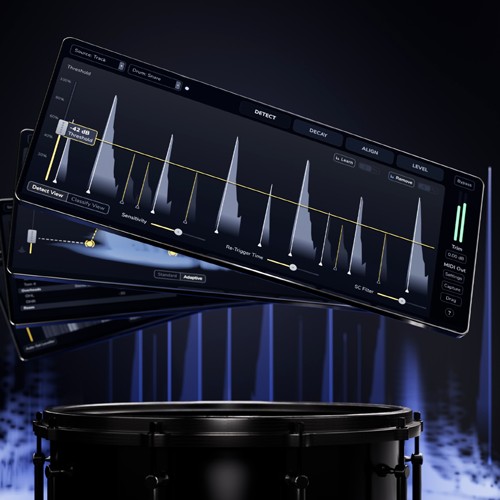



This product is an update for owner of the original Oxford Drum Gate plugin
Oxford Drum Gate 2 builds on the powerful feature set, sound quality, and intuitive workflow that first set Drum Gate apart, with the addition of time, polarity and phase alignment, improved shell-type classification models, a new adaptive resonant decay algorithm, external sidechain key input, a leveller clipper, per-hit clipper and an overhauled UI.
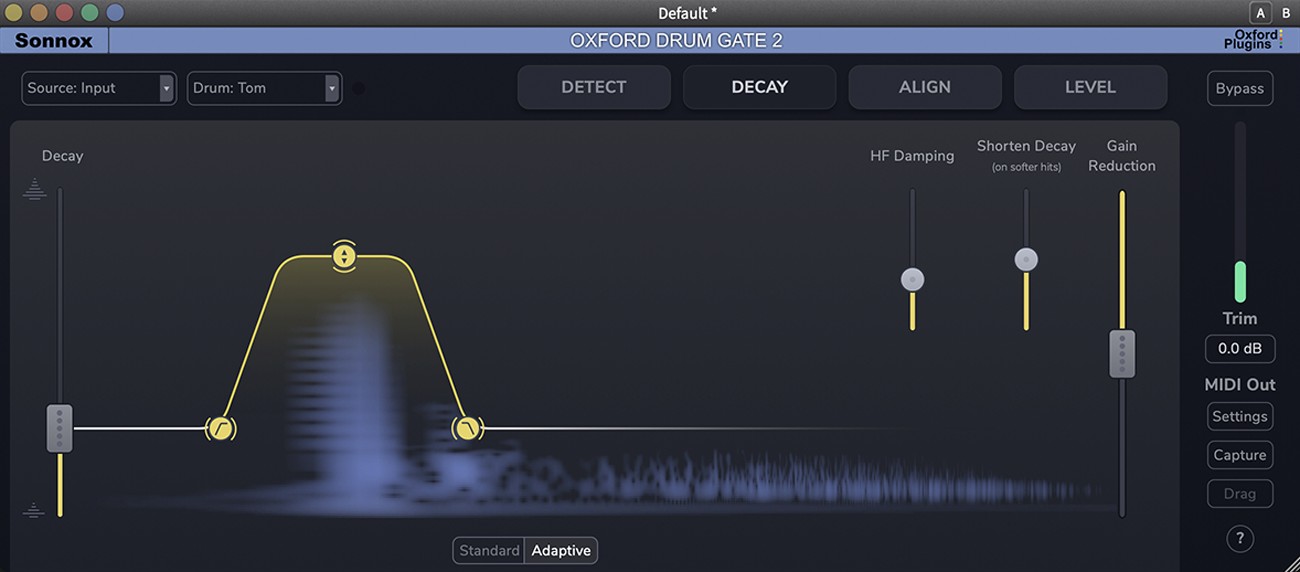
With Oxford Drum Gate 2, you get the ultimate tool for mixing acoustic drum recordings cleanly, precisely, and with punch. Whether it’s kick, snare, tom, or hi-hat, every drum hit is reliably detected and processed—even in complex or multi-mic setups. The result: clear, powerful drums that sit perfectly in the mix.
Drum Gate 2 goes far beyond a traditional gate. Thanks to the new Adaptive Resonant Decay technology, resonances are cleanly separated from spill while transients remain untouched—delivering a natural, lively sound. Multi-mic recordings are automatically aligned in time, phase, and polarity using the Align tab, without flamming or artifacts. External sidechains, both audio and MIDI, provide additional flexibility for complex setups, while the new Hit Clip ensures every drum hit stays consistently present without losing dynamic expression.
Key benefits at a glance:
-
Perfect hit control: Intelligent classification reliably detects kicks, snares, toms, and hi-hats.
-
Natural sound: Adaptive Resonant Decay separates resonances from spill while preserving transients.
-
Clean multi-mic recordings: Align tab for precise time, phase, and polarity correction.
-
Flexible triggering: External sidechains via audio or MIDI.
-
Consistent mix: Hit Clip ensures uniform volume without flattening dynamics.
Additional features like modern hi-hat and All Transients modes, MIDI export, Learn/Remove functionality, and the updated, clear interface make Drum Gate 2 a complete solution for clean, punchy drum recordings.
Mac
- macOS 11 or higher
- 64 bit
Windows
- Windows 10 or higher
- 64 bit
Required Registration:
Sonnox products require you to register with the manufacturer at www.sonnox.com and with www.ilok.com to activate your license.
This product requires an activation!
You can either "soft" activate on your computer without addditional hardware or transfer the license to an iLok USB dongle which has to be purchased separately. The iLok dongle can be used to run the protected software on different computers. Your licenses can be easily manged using the iLok Licence Manager. To protect your investment against theft or loss we recommend the iLok Zero Downtime protection with TLC.
An internet connection on any computer and a free user-accout at www.ilok.com is required to authorize the product.
Please check with the software manufacturer which iLok version is required at least if you want to use a hardware iLok!
