

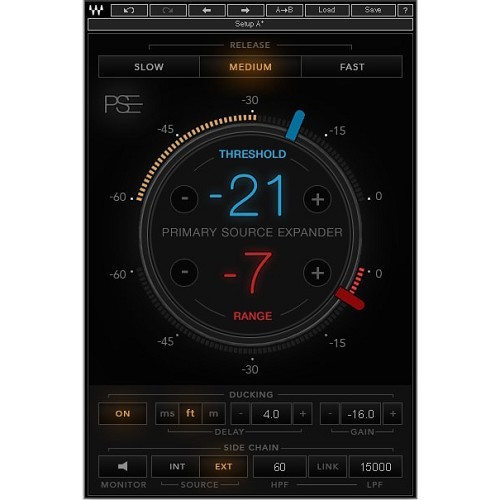

At the heart of the Primary Source Expander (PSE) plugin is a precision expander, tailored especially for melodic sources such as vocals, guitars, strings, brass, woodwinds and more. PSE works like a fader that smoothly attenuates the channel’s level when the source goes below the threshold you’ve set. You determine both the threshold and the amount of attenuation.
Reducing stage noise leakage when your microphones are idle will help you get an overall mix that is more coherent, more focused, and has better phase relations.
PSE also provides advanced sidechain and ducking controls for greater consistency and precision when treating complex live scenarios. Whether you are mixing FOH or monitors in a live venue or working on a live recording in the studio, PSE will ensure that your mics are as loud and clean as they can be, while preserving your source’s original tone and the natural ambience of your location.
-
Reduces stage bleed and sensitivity to feedback when mics are idle
-
Smoothly attenuates levels when source drops below the threshold you’ve defined
-
User-friendly GUI for quick operation – set and forget
-
Internal and external sidechain with HP/LP filters
-
Ducking mode for added precision in complex live scenarios
-
Release time presets
Mac:
- macOS Ventura 13, Sonoma 14, Sequoia 15, Tahoe 26
- Intel or Silicon Architecture
- RAM: 8GB (16GB recommended)
- 1024x768 or higher display resolution
Windows:
- Windows 10 / 11
- 64 bit
- X64 compatible Intel or AMD CPU
- RAM: 8GB (16GB recommended)
- 1024x768 or higher display resolution
Please check for details and latest information HERE!
Bundle- / Product-Content
All Plug-Ins, Collections and Bundles include the identical content/version as described on www.waves.com. As the content/version might be extended by the supplier from time to time, our descriptions might not be up to date in rare cases.
To always get the latest WAVES version, you need a valid WavesUpdatePlan "WUP". With a new purchase of PlugIns and Bundles 12 month of Free Update Plan are included!
Required Registration:
Waves products require you to register with the manufacturer at www.waves.com to activate your license.
This product requires an activation!
An internet connection is required to authorize / activate the product.