

Spectral Audio Editing Suite
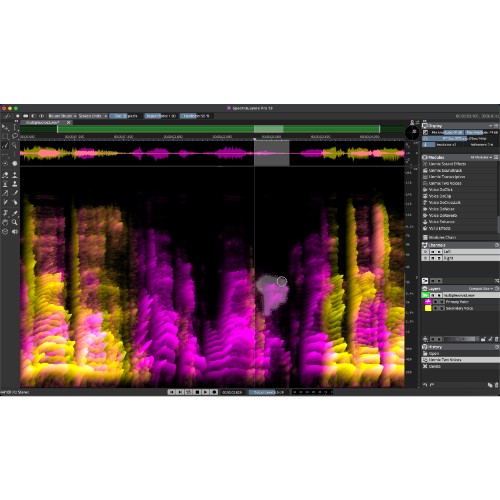
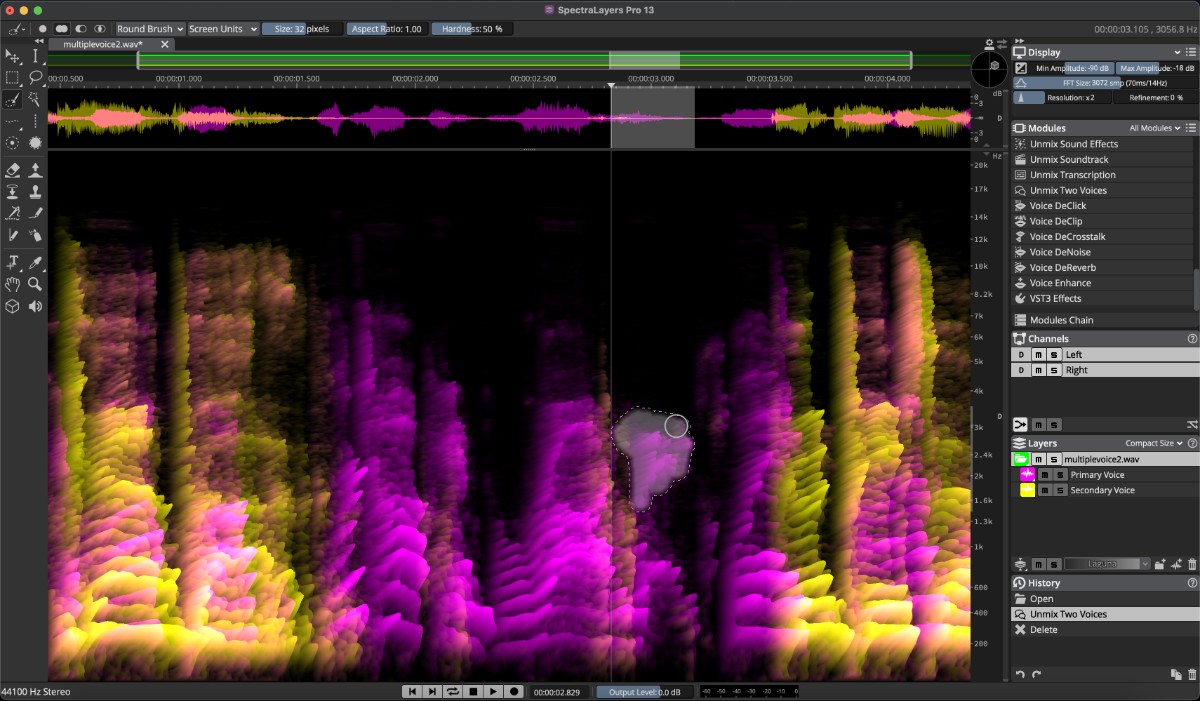
SpectraLayers 13 is a spectral audio editing application for music production, audio restoration, sound design and post-production workflows. It provides tools for visual editing, audio unmixing, speech enhancement, noise reduction and spectral reconstruction. The software integrates with modern DAWs and supports advanced editing tasks ranging from detailed repairs to creative sound manipulation.
This version introduces new modules including Unmix Sound Effects, Ambience Heal, Reconstruct, Voice DeClick, Voice DeCrosstalk and Unmix Two Voices. Additional enhancements include improved noise reduction, more accurate source separation, expanded loudness metering, advanced batch processing, enhanced Pro Tools AudioSuite integration and support for large-scale channel routing configurations.
Features
-
Spectral audio editing environment
-
Unmix Sound Effects module
-
Ambience Heal module
-
Reconstruct spectral resynthesis module
-
Attenuate module for spectral level reduction
-
Voice DeClick for mouth noise removal
-
Voice DeCrosstalk voice separation
-
Unmix Two Voices module
-
Level Check loudness analysis
-
Fade processing for spectral selections
-
Improved DeNoise module
-
Improved Unmix Components module
-
Batch processing across multiple open projects
-
Paste Into Selection workflow
-
Paste Insert function
-
Dynamic fade-shaping controls
-
Resizable selection corners
-
Module search by name and keyword
-
Interface layout presets
-
Expanded loudness metering options
-
Transcription export for additional frame rates
-
Support for more than 128 device channels
-
Improved Pro Tools AudioSuite Bridge plug-in
-
Round-trip editing with Pro Tools
-
Dolby Atmos support up to 9.1.6
-
Ambisonics support
-
ARA 2 integration
-
Keyboard shortcut assignment for more than 100 functions
Mac:
- macOS 12 or higher
- Intel Core i5 or Apple Silicon compatible
- RAM: 8GB recommended
Windows:
- Windows 10 or higher
- 64 bit
- RAM: 8GB recommended
You always get the latest software version (or a free update) available at purchase/registration date.
Required Registration:
Steinberg products require you to register with the manufacturer at www.steinberg.net to activate your license.
This product requires an activation!
An internet connection is required to authorize / activate the product.
