



Professional Strings without the Excess
LUX Orchestral Strings Essentials delivers the core sound and flexibility working composers need every day. Recorded as a 70 piece symphonic ensemble on a large scoring stage and mixed by Peter Fuchs, it provides the essential articulations for expressive orchestral writing, from lyrical legato lines to dynamic rhythmic passages. With a streamlined workflow and dedicated control over each section, it fits naturally into fast paced scoring environments while retaining the depth and polish of a premium orchestral production.
Features
-
70 piece symphonic string ensemble
-
Large scoring stage recording
-
1st Violins, 2nd Violins, Violas, Celli and Basses
-
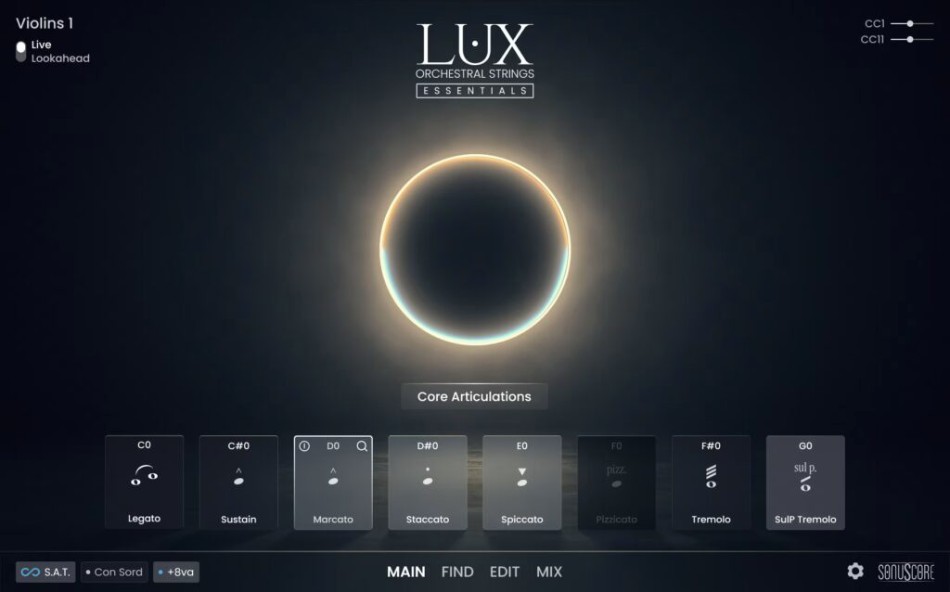
Sustains, legato, shorts, tremolo and trills
-
Articulation combinations for versatile writing
-
Cinematic mix by Peter Fuchs
-
Single NKI per section for focused workflow
-
Professional sound designed for daily scoring work

This product requires the free Native Instruments Kontakt Player, the latest version can be downloaded through Native Access, Native Instrument’s download manager!
The minimum required Kontakt version for this product is stated in the product description or can be found on the manufacturers website.
System Requirements:
Mac:
- macOS 11, 12, 13
- 64 bit
- Intel Core i5 or Apple Chip
- RAM: 4GB (6GB recommended)
Windows:
- Windows 10 or 11
- 64 bit
- Intel Core i5 or similar CPU
- RAM: 4GB (6GB recommended)
Supported Interfaces:
- Mac (64-bit only): Stand-alone, VST, VST3, AU, AAX
- Windows (64-bit): Stand-alone, VST, VST3, AAX
Legacy Versions:
If you require legacy installers of Kontakt Player please refer to this Knowledge Base Article.
Required Registration:
Sonuscore products require you to register with the manufacturer at www.sonuscore.com to activate your license. To use Kontakt Player Libraries you also need to register with www.native-instruments.com.
This product requires an activation!
This product requires Native Access for installation, registration and activation. Start the Native Access-Software and log in using your Native Instruments credetials to start the setup.
To sucesfully activate your product Native Access requires a working internet connection.
An Offline Activation on a different computer is Not Available with this product.
