


Delay and ambience with modeled BBD character
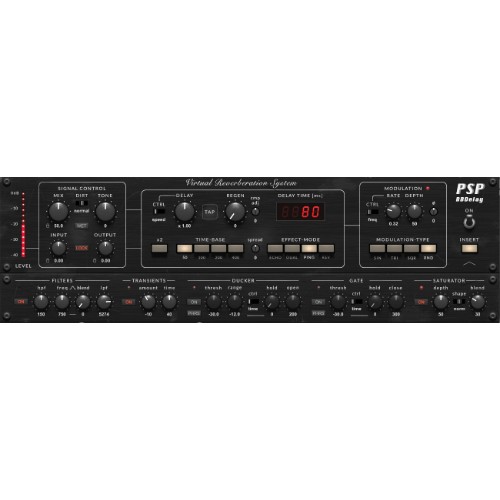
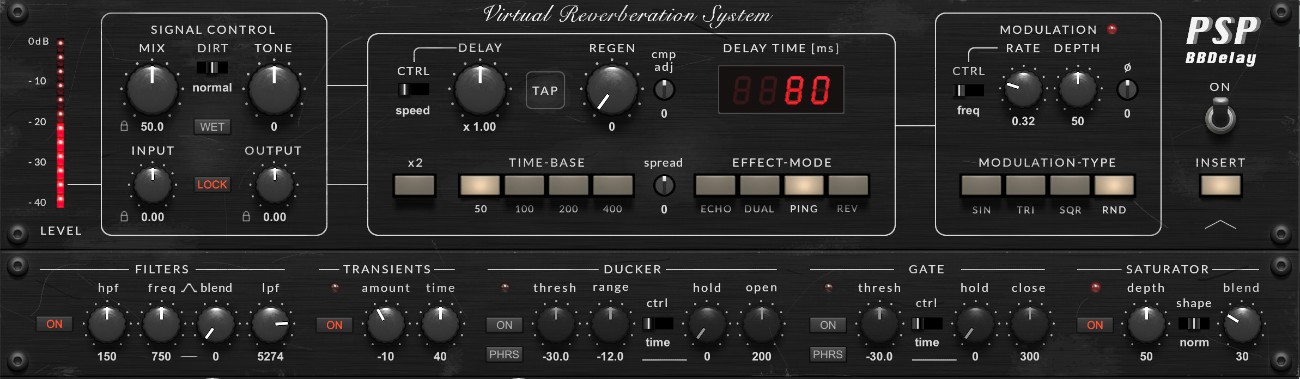
PSP BBDelay is a delay and ambience processor based on the sound and behaviour of classic Bucket Brigade Device (BBD) circuits. It recreates the warm repeats, subtle modulation and evolving character associated with vintage analog delay hardware while extending its capabilities with modern processing tools. Adjustable chip variation, transient shaping, ducking, gating, saturation and feedback tone shaping allow precise control over delay textures ranging from classic echoes to experimental ambient effects. Multiple operating modes and tempo synchronization support flexible integration into music production and sound design workflows.
Features
-
Faithful modeling of individual BBD chips
-
Authentic emulation of compander behavior
-
Mono, Dual Mono, Ping-Pong and Reverb modes
-
Delay times up to 800 ms or 1600 ms in x2 mode
-
Analog-style delay speed control
-
Optional Time and Tempo Sync modes
-
Four modulation waveforms
-
Multiple modulation synchronization options
-
Adjustable BBD chip spread for stereo widening
-
Adjustable compander alignment
-
Integrated ducker
-
Integrated gate
-
Analog-style saturation with multiple response curves
-
Three analog dirt modes
-
High-pass, low-pass and resonant tone shaping in the feedback path
-
Integrated transient processor
-
Preset browser with Favorites, A/B comparison, Undo/Redo and user default presets
-
64-bit internal processing
-
Zero added latency on the dry signal
Mac:
- macOS 10.14 or higher
- Intel processor
Windows:
- Windows 7-10
Required Registration:
PSP Audioware products require you to register with the manufacturer at www.pspaudioware.com and with www.ilok.com to activate your license.
This product requires an activation!
You can either "soft" activate on your computer without addditional hardware or transfer the license to an iLok USB dongle which has to be purchased separately. The iLok dongle can be used to run the protected software on different computers. Your licenses can be easily manged using the iLok Licence Manager. To protect your investment against theft or loss we recommend the iLok Zero Downtime protection with TLC.
An internet connection on any computer and a free user-accout at www.ilok.com is required to authorize the product.
Please check with the software manufacturer which iLok version is required at least if you want to use a hardware iLok!