




5 Adams Artist Alpha Timpani
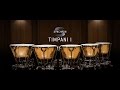
Synchron Timpani I features the five Adams Artist Alpha timpani (20", 23", 26", 29", and 32") of the Synchron Percussion I Collection.
The sound of these top quality instruments blends perfectly with other orchestral instrument groups. Consider the long history of timpani employed in support of majestic brass fanfares, or the combination of tremolo strings over a foundation of timpani rolls that creates a powerful dramatic tension.
5 Instruments – 12 Microphones
Every instrument was recorded using 12 microphones. You may select from four microphone positions (Standard Library) or seven different microphone positions (Full Library) and mix them to your liking, directly in the Vienna Instruments players, or using our mixing hosts Vienna Ensemble and Vienna Ensemble Pro.
Use the included and perfectly fine-tuned presets as a starting point for your own sonic creations. The natural ambience of Stage A was captured in stereo using a Decca tree, and additional microphone arrays were utilized for 5.1 surround and Auro 3D 9.1.
Microphone Positions of the Full Library:
- Close Mic – Mono
- Mid Layer Mic – Stereo (L/R)
- Main/Room Mic – Decca Tree Stereo (L/R)
- Main/Room Mic – Decca Tree Mono (Center)
- Main Surround – Stereo (L/R)
- High Stereo (3D) – Stereo (L/R)
- High Surround (3D) – Stereo (L/R)
Microphone Positions of the Standard Library:
- Close Mic – Mono
- Mid Layer Mic – Stereo (L/R)
- Main/Room Mic – Decca Tree Stereo (L/R)
- Main/Room Mic – Decca Tree Mono (Center)
Flexible Timbral Control
The natural volume envelopes and the sonic character of the instruments remained untouched during recording and editing. You may shape your individual sound and ambience within the Vienna Instruments or Vienna player and the mixing hosts Vienna Ensemble or Vienna Ensemble Pro. The included presets provide perfectly fine-tuned source material.
Library Content
-
Standard Library: Samples 46.204 | Download Files Size 19,1 GB | Installed File Size 40,1 GB
-
Full Library: Samples 80.857 | Download Files Size 40,0 GB | Installed File Size 79,9 GB
*Upgrades and User Discounts: Do you already own VSL products?
After logging in, you can check in the shopping cart whether you are eligible for a VSL User Discount and apply it. This works for Upgrades, Crossgrades, EDU products and also when you complete Bundles. Simply add the desired products to your shopping cart and then check for the VSL User Discount.
Please note that all discounted user-specific orders must be processed manually by our sales team and therefore may take up to one business day to be completed.
Mac:
- macOS 12 Monterey or higher (latest update)
- Intel Core i7
- macOS 26 Tahoe or higher and Intel Core i9/Xeon/M1 or better recommended
- RAM: 16GB (32GB recommended)
- SSD (M2, SATA 6 or USB 3/3.1 with UASP support; HFS+ or APFS formatted)
- iLok Account for license activation on a physical iLok 2/iLok 3 key or in an iLok Cloud Session
- iLok Cloud requires a constant internet connection
- AU/VST/VST3/AAX Native compatible host recommended
- 88-key master keyboard recommended
Windows:
- Windows 10 or higher (latest update, 64-bit)
- Intel Core i7 or AMD Athlon 64 X2
- Windows 11 and Intel Core i9/Xeon or better recommended
- RAM: 16GB (32GB recommended)
- SSD (M2, SATA 6 or USB 3/3.1 with UASP support; NTFS formatted)
- iLok Account for license activation on a physical iLok 2/iLok 3 key or in an iLok Cloud Session
- iLok Cloud requires a constant internet connection
- AU/VST/VST3/AAX Native compatible host recommended
- 88-key master keyboard recommended
Free hard drive space according to the library size.
Required Registration:
Vienna Symphonic Library products require you to register with the manufacturer at www.vsl.co.at and with www.ilok.com to activate your license.
This product requires an activation!

You can either "soft" activate the software on your computer without addditional hardware or transfer the license to an iLok USB dongle which has to be purchased separately. The iLok dongle can be used to run the protected software on different computers. Your licenses can be easily manged using the iLok Licence Manager. To protect your investment against theft or loss we recommend the iLok Zero Downtime protection with TLC.
An internet connection on any computer and a free user-accout at www.ilok.com is required to authorize the product. In order to download and install your software products and sample libraries authorized via iLok, please use the Vienna Assistant.
Please check with the software manufacturer which iLok version is required at least if you want to use a hardware iLok!
